Unobtrusive Javascript: Self-labeling text inputs
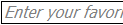 Some web sites have self-labeling text input boxes; for example, see the text box at the top right of the page on memberhub. When these self-labeling form fields are empty, they contain helpful text that labels or further explains their purpose, such as “Search” or “Enter your favorite color.” As soon as you click on these fields, the help text vanishes and you can type in a value.
Using unobtrusive Javascript (see introduction), we can add behavior to a text input element to automatically label it with this sort of help text contained within the element. We will take advantage of the title attribute of input elements to do this. The title element is already widely used in many browsers to provide help text in a tool-tip when you hover over an element with your mouse, and we will steal this title text from any input text field to use for self-labeling purposes. Here is a script that accomplishes that:
autolabel.js
Event.onReady(function() {
  $$('input[type="text"][title]').each(function(inputElement) {
    var e = inputElement;
    var color = e.getStyle('color');
    var fontStyle = e.getStyle('fontStyle');

    if(e.value == e.title) {            // FF reload behavior.
      e.value = '';
    }

    var blank = !$F(e);

    var blurHandler = function(ev) {
      blank = !$F(e);
      if(blank) {
        e.setStyle({ 'color'     : 'darkgray',
                     'fontStyle' : 'italic' });
        e.value = e.title;
      }
    }
    e.observe('focus', function(ev) {
      if(blank) {
        if($F(e) == e.title) {
          e.value = '';
        }
        e.setStyle({ 'color'     : color,
                     'fontStyle' : fontStyle });
      }
    });
    e.observe('blur', blurHandler);
    blurHandler(null);

    Event.observe(e.form, 'submit', function(ev) {
      if(blank) {
        e.value = '';
      }
    });
  });
});
Here’s how to use it. Note that you need to include the Prototype and Low Pro Javascript libraries:
example.html
<script src="/js/prototype.js" type="text/javascript"></script>
<script src="/js/lowpro.js" type="text/javascript"></script>
<script src="/js/autolabel.js" type="text/javascript"></script>
. . .
<input type="text" name="color" title="Enter your favorite color" />
How it works
The script first searches for all input elements in the document that are of type “text” and also have the title attribute. For each of these, it executes a function to add the self-labeling behavior to the element. This function does a number of things:
- When you refresh a page in Firefox, as long as you don’t do a full reload, Firefox preserves whatever values were previously in form fields. The function tests if the current value of the form field is equal to the title attribute (meaning that someone refreshed the page while the self-labeling description was present in the field, and if so, the function clears the form field.
- For all other purposes, the function uses the variable blank to track whether the field is blank and should have the label inserted. We do this rather than comparing the field’s content to the title tag, in case the user actually types in the value of the title tag (for something like “Search”).
- The function adds a handler for the focus event (cursor enters field). If the field is blank, it clears the label text so the user can enter their own text, and restores the field’s color and font style to their original values. Otherwise, the field contains user text so it is left unchanged.
- The function adds a handler for the blur event (cursor leaves field). If the field is blank, it remembers the fact that it is blank, sets the style of the field so that the text is italic and dark gray (you may modify this as you wish), and then inserts the title text.
- The function adds a handler for the submit event on the field’s form. If the form is submitted and the field is blank, it will be cleared so that the correct value is submitted for the form contents.


Hi,
Useful script thank you.
However, you don’t have to include lowpro.js anymore since prototype.js now includes the lowpro functions you need.
The only change you need to make is in autoload.js first line:
before: Event.onReady(function() {
After: document.observe(“dom:loaded”,function() {
– Winny –
Winzeep
August 13, 2008 at 6:01 am
Be careful with my previous script the double quotes are funky 🙂
Here are the normal ones:
before: Event.onReady(function() {
After: document.observe("dom:loaded",function() {
Winzeep
August 13, 2008 at 6:05 am
Winny, thanks. In this case that would be fine. In other cases I’m making use of other lowpro functionality, such as its providing shortcut constructors for HTML elements such as $a, $img, $span, etc.
Scott Moonen
August 13, 2008 at 6:07 am
i’ve problem with your script:
– when multiple input field on the same forms.
– when using password type field in place of text.
Ps: i’ve make changes advised by Scott.
I’ll really appreciates help.
Regards,
Mg
Mat
September 10, 2009 at 10:56 am
I correct:
Ps: i’ve make changes advised by Winzeep.
Mat
September 10, 2009 at 10:58 am